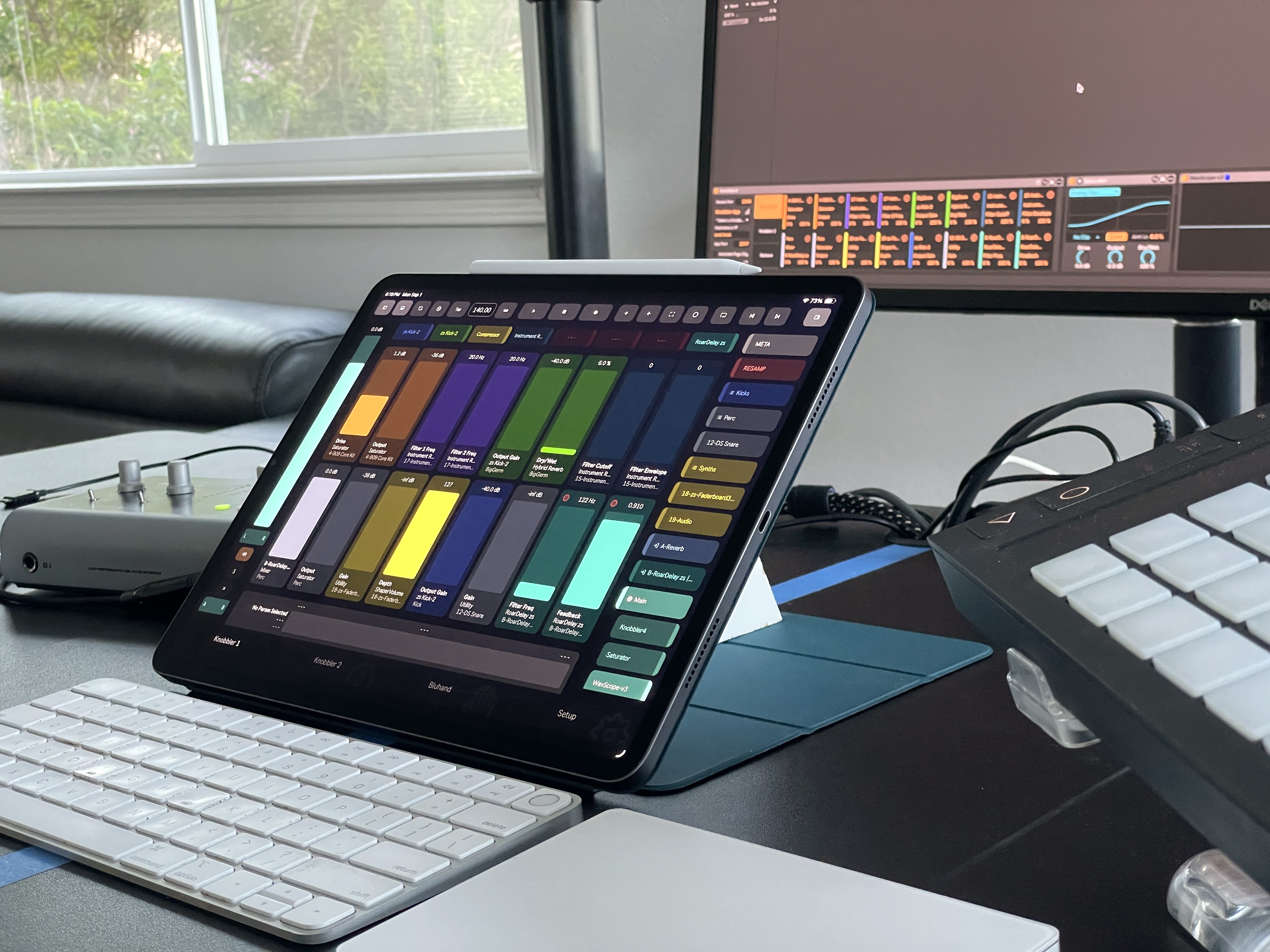
 Knobbler4
 Visit #knobbler on Discord
OSC-API
This document exists to catalog the full set of OSC messages used for control and display between the Knobbler4 Max for Live device and a physical interface, such as an app or TouchOSC running on an iPad. Because the standard OSC protocol is used, you are free to develop alternative interfaces to interact with Knobbler4.
Throughout this document, a trailing N on an address (e.g. /valN, /bparamN) means the slot/index is appended directly to the address string (/val0, /val1, …). Where an index is instead carried as the message argument, it is written as {N} (e.g. /xyJoin {N}). Knobbler parameter slots are 0-indexed (MAX_SLOTS = 32); Bluhand device slots are 1-indexed (1–16).
Implementation note: The device dispatches inbound OSC through a per-module route registry (src/k4-*.ts, each exporting a routes: Route[] table merged in src/knobbler.ts). Outbound addresses are emitted via osc(...). This document is kept in sync with those tables.
Knobbler
Tablet to Knobbler4
/valN {float}
Sets the value of Slot N, as a float between 0 and 1, inclusive. If Slot N is already mapped, Knobbler will then quietly update the assigned parameter in the Live set with the value. If Slot N is not mapped and there is a selected parameter in the Live Set, then that parameter will be mapped to Slot N and resulting name, color, and value messages will be sent to update the tablet.
/unmapN
Removes the mapping for Slot N. Has side effects of messages sent from Knobbler to tablet to update name, color, and value to unassigned values.
/defaultvalN
Sets the value of the parameter mapped to Slot N to its default value. Does so in a way to trigger an update back to the tablet. (A legacy space-separated alias /default val with the slot as a suffix is also accepted.)
/mkMapN {mapId}
Maps the device parameter identified by mapId (the Bluhand map identifier) to Knobbler Slot N. Used to promote a Bluhand device parameter into a persistent Knobbler slot.
/swapN {m}
Swaps the full mapping (parameter, output min/max range, custom name, persisted settings) between Knobbler Slot N and Slot m. If Slot m is unmapped this is effectively a move (Slot N ends up empty). XY pad pairs involving either slot are split first. Triggers a state re-push for both slots. Only sent when the device advertises the swap capability in its /ack//pong reply.
/trackNtouch 1
Switch the Live display to the track corresponding to Slot N.
/xyJoin {N}
Join Slot N and Slot N+1 into an X-Y pad pair, where N (the left slot index) is the message argument, not an address suffix. Both slots must not already be part of a pair. Triggers an /xyPairs response. Knobbler pairs persist with the Live set.
/xySplit {N}
Split a previously joined X-Y pad pair, where N (the left slot index) is the message argument. Triggers an /xyPairs response.
Knobbler4 to Tablet
/deviceN {string}
Updates the device name for Slot N.
/paramN {string}
Updates the parameter name for Slot N.
/paramNauto {integer}
The automation state for the parameter in Slot N.
/quantN {integer}
The number of quantization steps for the parameter in Slot N. Continuous (non-quantized) parameters will have a value of zero. On/off buttons will have a value of 2.
/quantItemsN {JSON string}
A JSON-encoded array of individual item names for each quantized step. The array is empty if a parameter is not quantized.
/trackN {string}
Updates the track name for Slot N.
/valN {float}
Updates the slider for Slot N to the given value.
/valNcolor {string}
Updates the color of the slider for Slot N to the one given. Must be a hexidecimal string in the form RRGGBBAA.
/valStrN {string}
Updates the string representation of Slot N's mapped parameter value, e.g. (-6db or 2.5KHz).
/xyPairs {JSON string}
A JSON-encoded array of left slot indices for active X-Y pad pairs. e.g. [3, 7] means slots 3+4 and 7+8 are joined. Sent on refresh, page load, join, split, and Live set load.
Bluhand
The Bluhand page controls the selected device in Live: 16 device-parameter slots, parameter banks, rack variations/macros, transport, and device/track navigation.
Tablet to Knobbler4
/bvalN {float}
Sets the value of Slot N (1–16), as a float between 0 and 1, inclusive. Knobbler will then quietly update the corresponding parameter in the selected device in the Live set with the value.
/bdefaultbvalN
Sets the value of the parameter mapped to Slot N to its default value. Does so in a way to trigger an update back to the tablet. (A legacy space-separated alias /bdefault bval with the slot as a suffix is also accepted.)
/bkMapN {mapId}
Maps the Bluhand device parameter identified by mapId into Bluhand Slot N.
/bBankN
Go to bank index N.
/bbankPrev
If not looking at the first bank, has the effect of switching the Tablet to the previous bank of parameters. Causes a full update of slot names and values.
/bbankNext
If more banks of parameters are available, then switch the Tablet to the next bank of parameters. Causes a full update of slot names and values.
/toggleOnOff
Toggles the on/off (activator) state of the currently selected device.
/blu/macros/random
Randomize the macro controls of the currently selected rack.
/blu/variation/new
Create a new rack variation from the current macro state.
/blu/variation/delete {idx}
Delete the rack variation at index idx.
/blu/variation/select {idx}
Recall (select) the rack variation at index idx.
/undo
Triggers an undo action in the Live set, reverting the last change.
/redo
Triggers a redo action in the Live set, reapplying the last undone change.
/mapshortcutN
For shortcut button N (1–8), maps the button to the selected device if it is not yet mapped. If already mapped, focuses the Live UI on the mapped device.
/unmapshortcutN
For shortcut button N (1–8), removes the mapping.
/pluginWindows { 0 | 1 }
Turns “plug-in windows follow the focused device” on or off; off by default, persisted per device instance. Requires capability plugWin. While on, every change of focused device closes the previously focused plug-in's editor window and opens the new one's — including selections made in Live itself, not just navigation from the app. Focusing a device that is not a plug-in (stock Live device, Max device, rack) still closes the previous window. Turning the option on opens the currently focused plug-in immediately; turning it off closes the window the device opened and touches nothing else. Only VST/VST3/AU devices have an editor window; the device gates on the LOM itself (PluginDevice.is_editor_open, Live 12.4.3+) rather than on a version number. The device replies with the resulting state.
Knobbler4 to Tablet
/pluginWindows { -1 | 0 | 1 }
Confirms the plug-in-window option: 1 on, 0 off, and -1 when this Live is older than 12.4.3 and has no is_editor_open property — the app should disable the control rather than show a switch that does nothing. Sent on connect/refresh and after every /pluginWindows command.
/bcurrDeviceName {string}
Updates the current track / device name in the display (format: TrackName > DeviceName).
/bBanks {JSON string}
JSON-encoded array of available parameter banks for the selected device, each { name, sel }.
/bTxtCurrBank {string}
Updates the text that indicates the current bank, e.g. "Bank 2 of 6".
/bOnOff { 0 | 1 }
The on/off (activator) state of the currently selected device.
/blu/variations {JSON string | ""}
Rack variation state for the selected device: { count, selected }, or an empty string when the selected device has no variations.
/bparamN {string}
Updates the parameter name for Slot N.
/bparamNauto {integer}
The automation state for the parameter in Slot N.
/bquantN {integer}
The number of quantization steps for the parameter in Slot N. Continuous (non-quantized) parameters will have a value of zero. On/off buttons will have a value of 2.
/bquantItemsN {JSON string}
A JSON-encoded array of individual item names for each quantized step. The array is empty if a parameter is not quantized.
/bvalN {float}
Updates the slider for Slot N to the given value.
/bvalNcolor {string}
Updates the color of the slider for Slot N to the one given. Must be a hexidecimal string in the form RRGGBBAA.
/bvalStrN {string}
Updates the string representation of Slot N's mapped parameter value, e.g. (-6db or 2.5KHz).
/shortcutNColor {string}
Updates the shortcut button N to the given color value (RRGGBBAA).
/shortcutNameN {string}
Updates the device name displayed beneath the shortcut button N.
Navigation
Knobbler4 to Tablet
/nav/currTrackId {integer}
Live object ID number for the currently selected track (−1 if none).
/nav/currDeviceId {integer}
Live object ID number for the currently selected device (−1 if none).
/nav/devices
JSON-stringified array of device objects. See the source file src/consts.ts to see the field ID definitions. Rows for the selected device and its siblings carry an 8th field, Live's Device.type (1 instrument, 2 audio effect, 4 MIDI effect, 0 unknown), which the app uses to keep a dragged device among its own kind. e.g.
[
  [5,8,"Knobbler4-v26","FFF034",0,0,7,2]
]
Tablet to Knobbler4
/gotoChain {chainID}
Navigate to the given chain by ID in the Live UI.
/gotoDevice {deviceID}
Navigate to the given device by ID in the Live UI.
/gotoTrack {trackID}
Navigate to the given track by ID in the Live UI.
/hideChains {deviceID}
If collapsing a rack, this message is sent to Live so that it can hide the chain devices display in that rack. Otherwise every rack will eventually be fully expanded and that gets overwhelming / messy.
/nav/colorChain {JSON [chainID, "RRGGBB"]}
Sets a chain's color; Live snaps it to the nearest color in its chooser. Rebuilds /nav/devices. Requires capability navEd.
/nav/colorTrack {JSON [trackID, "RRGGBB"]}
Sets a track's color (nearest chooser color) and resends /visibleTracks with the color Live actually applied. Requires capability navEd.
/nav/deleteDevice {deviceID}
Deletes a device or rack via Track.delete_device / Chain.delete_device. Takes a bare numeric LOM id, not the [id, value] JSON the other nav edits use. Refuses tracks and chains, and refuses the Knobbler instance the app is connected through (deleting it would drop the connection mid-call); other Knobbler instances on the set are ordinary devices here. If the deleted device was the focused one, Live moves the selection and /nav/currDeviceId follows. Rebuilds /nav/devices. Requires capability navDel.
/nav/moveDevice {JSON [deviceID, index]}
Moves a device so it ends up at index within its own chain (the final position, as a drag list reports it) via Song.move_device. Live counts move_device's position in the chain as it is BEFORE the device is removed, so moving down one slot means asking for two; the route translates, so clients always send the final index. When that position isn't allowed (e.g. a MIDI effect after an instrument), Live uses the nearest legal one. Rebuilds /nav/devices. Requires capability navEd.
/nav/renameDevice {JSON [id, name]}
Renames a device or a chain. Rebuilds /nav/devices. Requires capability navEd.
/nav/renameTrack {JSON [trackID, name]}
Renames a track and resends /visibleTracks. Requires capability navEd.
/toggleGroup {deviceID}
Toggles the fold state (expand / collapse) of a group.
Mixer / Channel Strip
The single-track ("sidebar") mixer controls the currently selected track. Addresses have no strip index — they always target the selected track. (For the multi-strip mixer, see "Multi-Track Mixer" below, where addresses are indexed /mixer/{N}/....)
Tablet to Knobbler4
/mixer/vol {float}
Sets the volume of the selected track (0.0–1.0).
/mixer/pan {float}
Sets the pan of the selected track (−1.0 to 1.0).
/mixer/crossfader {float}
Sets the crossfader assignment value of the selected track.
/mixer/sendN {float}
Sets the level of send N (1–12) on the selected track.
/mixer/volDefault
Resets the selected track's volume to its default value.
/mixer/panDefault
Resets the selected track's pan to center.
/mixer/crossfaderDefault
Resets the selected track's crossfader assignment to its default.
/mixer/sendDefaultN
Resets send N on the selected track to its default value.
/mixer/toggleMute
Toggles the mute state of the selected track.
/mixer/toggleSolo
Toggles the solo state of the selected track.
/mixer/toggleXFadeA
Toggles crossfader assignment A for the selected track.
/mixer/toggleXFadeB
Toggles crossfader assignment B for the selected track.
/mixer/enableRecord
Arms the selected track for recording.
/mixer/disableRecord
Disarms the selected track.
/mixer/disableInput
Disables input monitoring/routing for the selected track.
Knobbler4 to Tablet
/mixer/returnTrackColors {string}
JSON-stringified list of color values for the 12 possible return tracks. e.g.
[
  "#10A4EE","#00BFAF","#990000",
  "#990000","#990000","#990000",
  "#990000","#990000","#990000",
  "#990000","#990000","#990000"
]
/mixer/type {type}
Indicates the type of track - normal, group, return, or main. See src/consts.ts for the track type definitions.
/mixer/recordArm { 0 | 1 }
Indicates whether the track is armed for recording.
/mixer/inputEnabled { 0 | 1 }
Indicates whether input is enabled for the current track.
/mixer/vol { 0., 1. }
The track volume level. 0.85 is 0.0db.
/mixer/pan { -1., 1. }
The pan position for the track.
/mixer/crossfader { 0 | 1 | 2 }
The crossfader value for the track. 0 = A, 1 = none, 2 = B.
/mixer/sendN {float}
The amount to send to return track N, with N being a value from 1-12.
/mixer/numSends {0-12}
The number of return tracks.
/mixer/xFadeA { 0 | 1 }
/mixer/xFadeB { 0 | 1 }
Indicates if the A or B crossfader buttons are selected for the given track.
/mixer/volAuto {integer}
The volume automation state for the selected track (0 = none, 1 = playing, 2 = overridden).
/mixer/solo { 0 | 1 }
Indicates the Solo state of the track.
/mixer/soloCount {integer}
The number of tracks currently soloed across the entire set. Useful for showing a global solo indicator.
/mixer/mute { 0 | 1 }
Indicates the Mute state of the track.
/mixer/trackColor { colorInteger }
The color of the current track, in integer form ((r<<16) + (g<<8) + b)
/mixer/hasOutput { 0 | 1 }
Indicates whether the track has audio output. Controls the enabled state of some mixer components, e.g. the volume slider.
/mixer/volStr {string}
String value of the current track volume level. Displayed above the volume slider in the mixer.
/mixer/panStr {string}
String representation of the selected track's pan (e.g. "20L").
/sidebarMeters { 0 | 1 }
Confirms the current enabled/disabled state of the single-track mixer's output meters.
/track/isFrozen { 0 | 1 }
Indicates whether the currently selected track is frozen.
Multi-Track Mixer
The multi-track mixer provides a full-screen, horizontally scrollable mixer with per-strip observers. The device uses a windowed approach — observers are only active for visible strips. Strip indices are absolute (matching the position in /visibleTracks).
Tablet to Knobbler4
/mixerView {JSON array}
Sets the visible window for the multi-track mixer. The value is a JSON array [leftIndex, visibleCount]. The device will set up observers for strips from leftIndex to leftIndex + visibleCount - 1. Sending [0, 0] tears down all observers and deactivates the mixer.
The window only decides which strips the device streams. The /mixer/{N}/… commands below are accepted for any strip in /visibleTracks: a strip outside the window is written through a shared set of non-observing handles, and the device echoes the result (mute, solo, arm, crossfade, a reset value) since no observer will.
/mixerMeters { 0 | 1 }
Enables or disables output level meter observers for all visible strips. Meters are off by default. Only tracks with audio output will have meter observers.
/mixer/{N}/vol {float}
Sets the volume for strip N.
/mixer/{N}/pan {float}
Sets the pan for strip N.
/mixer/{N}/volDefault
Resets volume for strip N to its default value.
/mixer/{N}/panDefault
Resets pan for strip N to its default value.
/mixer/{N}/send1 - /mixer/{N}/send12 {float}
Sets the send level for strip N to the given return track.
/mixer/{N}/sendDefault1 - /mixer/{N}/sendDefault12
Resets the send level for strip N to the given return track's default value.
/mixer/{N}/toggleMute
Toggles the mute state for strip N.
/mixer/{N}/toggleSolo
Toggles the solo state for strip N.
/mixer/{N}/enableRecord
Arms strip N for recording.
/mixer/{N}/disableRecord
Disarms strip N.
/mixer/{N}/disableInput
Disables input routing for strip N.
/mixer/{N}/toggleXFadeA
Toggles crossfader assignment A for strip N.
/mixer/{N}/toggleXFadeB
Toggles crossfader assignment B for strip N.
Knobbler4 to Tablet
/visibleTracks {JSON}
Sent as chunked data (/visibleTracks/chunk). Each entry is [type, id, name, color, null, null, parentId]. Type values are defined in src/consts.ts. parentId is the group track ID (0 if not in a group). Sent on mixer open, track list changes, and color changes.
/mixer/{N}/name {string}
The track name for strip N.
/mixer/{N}/color {string}
The track color for strip N (hex string).
/mixer/{N}/type {integer}
The track type for strip N (see src/consts.ts).
/mixer/{N}/vol {float}
The volume level for strip N.
/mixer/{N}/volStr {string}
String representation of strip N's volume (e.g. "-6.0 dB").
/mixer/{N}/pan {float}
The pan position for strip N.
/mixer/{N}/panStr {string}
String representation of strip N's pan (e.g. "20L").
/mixer/{N}/mute { 0 | 1 }
The mute state for strip N.
/mixer/{N}/solo { 0 | 1 }
The solo state for strip N.
/mixer/{N}/recordArm { 0 | 1 }
Whether strip N is armed for recording.
/mixer/{N}/inputEnabled { 0 | 1 }
Whether input is enabled for strip N.
/mixer/{N}/hasOutput { 0 | 1 }
Whether strip N has audio output.
/mixer/{N}/xFadeA { 0 | 1 }
Whether crossfader A is assigned for strip N.
/mixer/{N}/volAuto {integer}
The volume automation state for strip N. Values match Ableton's automation state enum (0 = none, 1 = playing, 2 = overridden).
/mixer/{N}/xFadeB { 0 | 1 }
Whether crossfader B is assigned for strip N.
/mixer/{N}/send1 - /mixer/{N}/send12 {float}
Send levels for strip N.
/mixer/prefetch {JSON array}
Background prefetch of strips outside the visible window, sent only to apps that advertise the pre capability. An array of records in short keys — {i, v, vs, va, p, ps, m, so, ra, ie, ho, xa?, xb?, s} = strip index, vol, volStr, volAuto, pan, panStr, (effective) mute, solo, recordArm, inputEnabled, hasOutput, xFadeA, xFadeB (absent on master), and the send values — each field meaning exactly what the matching /mixer/{N}/… address means. Usually arrives columnarized and chunked. Sent in full after connect/refresh and after a track-list change, then only for strips whose values changed. See src/sweep.ts for scheduling and cost bounds.
/mixer/meters {JSON array}
Batched meter values for all visible strips, sent as a single message every ~30ms when meters are enabled. The value is a flat JSON array [L0, R0, V0, L1, R1, V1, ...] where each group of 3 values represents left channel, right channel, and combined output level for one strip. Strip index N's values are at offsets N*3 (left), N*3+1 (right), N*3+2 (level). Array length = visibleCount * 3. All values are floats (0.0-1.0).
/mixerMeters { 0 | 1 }
Confirms the current meters enabled/disabled state.
/mixer/numSends {0-12}
The number of return tracks (same for all strips).
Current Parameter
Displays information about the currently selected parameter in Live. The device follows Live's selected parameter and pushes updates to the app. Supports locking the display to a specific parameter.
Tablet to Knobbler4
/currentParam/show
Activates the current parameter observer. The device will begin following Live's selected parameter.
/currentParam/hide
Deactivates the current parameter observer and tears down all observers.
/currentParam/val {float}
Sets the value of the currently displayed parameter, as a float between 0 and 1.
/currentParam/default
Resets the currently displayed parameter to its default value.
/currentParam/lock {0 | 1}
Locks (1) or unlocks (0) the current parameter display. When locked, the display stays on the current parameter even if the user selects a different parameter in Live. On unlock, the display updates to whichever parameter is currently selected.
Knobbler4 to Tablet
/currentParam/name {string}
The parameter name.
/currentParam/deviceName {string}
The name of the device containing the parameter.
/currentParam/trackName {string}
The name of the track containing the device.
/currentParam/trackColor {string}
The color of the track, as a hex string (e.g. #FF0034).
/currentParam/val {float}
The parameter value, scaled to 0-1.
/currentParam/valStr {string}
The string representation of the parameter value (e.g. "-6.0 dB", "2.5 kHz").
/currentParam/minStr {string}
The string representation of the parameter's minimum value.
/currentParam/maxStr {string}
The string representation of the parameter's maximum value.
Toolbar
The toolbar mixes transport state (pushed from the device) with button presses (sent by the tablet). /metronome and /tempo flow in both directions — the device pushes the current state, and the tablet sends them to change it.
Knobbler4 to Tablet
/arrangementOverdub { 0 | 1 }
Indicates if the arrangement overdub button is engaged.
/cuePoints { cuePoint List }
JSON-encoded array of cue point objects.
[
  {
    "idx": {number},
    "name": {string},
    "time": {number},
    "disp": {string},
  },
  ...
}
time is in beats; disp is a formatted bar.beat.16th string.
/sessionRecord { 0 | 1 }
Indicates if the session automation record button is engaged.
/reEnableAutomationEnabled { 0 | 1 }
Indicates that automation has been overridden, and is available to be re-enabled.
/metronome { 0 | 1 }
Indicates whether the metronome is enabled.
/isPlaying { 0 | 1 }
Indicates if Live is playing.
/recordMode { 0 | 1 }
Indicates if Live is recording.
/loop { 0 | 1 }
Indicates whether the arrangement loop is enabled. (Distinct from the network feedback-loop /loop message in the Misc section, which is sent by the tablet and carries no argument.)
/tempo {float}
The current tempo value.
/songPos {float}
The arrangement playhead position, in beats. Streamed while playing (trailing-edge throttle, ~20Hz) and re-pushed on reconnect.
/songLen {float}
The length of the arrangement (Live's last_event_time), in beats. Polled (not observable) and re-pushed on reconnect.
/songSig { numerator, denominator }
The arrangement time signature, as two integers. Used by the app to render /songPos as bar.beat.16th.
/loopStart {float}
The arrangement loop brace start, in beats. Echoed back after an inbound /loopStart so the app's loop handles converge after a drag.
/loopLength {float}
The arrangement loop brace length, in beats.
Tablet to Knobbler4
/metronome
Toggles the metronome.
/tempo {float}
Sets the tempo in BPM.
/tapTempo
Tap-tempo input; successive taps set the tempo.
/gotoCuePoint {idx}
Jumps to the cue point at live_set cue_points {idx}.
/playCuePoint {idx}
Jumps to the cue point at index idx and starts playback from there.
/scrub {float}
Sets the arrangement playhead (current_song_time) to the given position in beats (clamped to ≥ 0). Immediately echoes the new position back via /songPos.
/loopStart {float}
Sets the arrangement loop brace start, in beats (clamped to ≥ 0).
/loopLength {float}
Sets the arrangement loop brace length, in beats (clamped to ≥ 0).
/addCuePoint
Toggles a cue point at the current playhead position (Live's set_or_delete_cue).
/renameCuePoint/{idx} {string}
Renames the cue point at live_set cue_points {idx}; the new name is the message argument.
/deleteCuePoint {idx}
Deletes the cue point at index idx by jumping to it and toggling it off (the Live API has no direct cue-point delete).
/btnSkipPrev
Jumps to the previous cue point.
/btnSkipNext
Jumps to the next cue point.
/btnLoop
Toggles the arrangement loop.
/btnCaptureMidi
Triggers Live's "Capture MIDI".
/btnArrangementOverdub
Toggles arrangement overdub.
/btnSessionRecord
Toggles session automation record.
/btnReEnableAutomation
Re-enables automation that has been overridden.
/bCtlPlay
Starts playback.
/bCtlStop
Stops playback.
/bCtlRec
Toggles record mode.
Misc
Knobbler4 to Tablet
/ack {string}
Response to a /syn message to facilitate connection setup. The value is a string containing the device version number followed by capability flags (e.g. 61 mxr mkMap swap). mxr indicates support for the multi-track mixer; mkMap indicates support for mapping Bluhand parameters into Knobbler slots.
/pong {string}
Response to a /ping message to keep the network connection "warmed up". Like /ack, the value contains the device version and capability flags (e.g. 61 mxr mkMap swap).
/deviceVersion {string}
The device version string, sent on connect.
/sendState {1}
Asks the app to push its full state to the device (current page, current-parameter visibility, mixer view, etc.). Sent after a /syn handshake.
/clearAll
Tells the app to clear all cached OSC data (full reset).
/page/X
Sent when one of the tabs in the Max for Live device is clicked, to keep the app's page in sync. The tablet may also send /page/X to drive the device. X can be:
- knobbler1
- knobbler2
- bluhand
- mixer
- clips
- nav
- setup
- session
/batch {JSON string}
A batched set of OSC messages combined into a single JSON object. Each key is an OSC address and each value is the message payload. Example:
{"/param1":"Filter Freq","/val1":0.5,"/valStr1":"2.5 kHz"}
Batching is only used when the client advertises the batch capability in its /syn handshake. Messages are flushed every 10ms or when the buffer exceeds 1KB. Chunked data (/start, /end, /chunk suffixes) and meter messages are never batched.
/toggleInput {0, 1}
Update the "active" state of the Toggle Input interface button.
Tablet to Knobbler4
/syn {string}
A request for an /ack response to facilitate a UX feedback loop when configuring the connections. The value is an optional string containing the client version followed by capability flags (e.g. 1.2.0 batch). The device stores the client version and capabilities for feature negotiation. Triggers a /sendState message internally to push full state to the app.
/ping
Sent every 5 seconds when a connection is configured. Intended to keep the network connection "warm". May carry a client version + capability string like /syn.
/connect {host:port}
Configures the device's output target (the tablet's reachable host:port). Sent during connection setup so the device knows where to send outbound OSC.
/btnRefresh
Requests a full refresh of all device state to the app.
/initMenu
Requests (re)initialization of the device's menu state.
/toggleInput {0,1}
If the currently selected track has active input routing (i.e. has a value other than "None" selected under the "MIDI From" or "Audio From" dropdowns), then the input routing selection will be stored internally in the device and the track will be set to None.
If the track input is currently set to None, then if the prior input setting was stored it will be restored, otherwise the first input will be chosen.
This is useful when recording automation over existing MIDI clips, since the recording state of a MIDI/Instrument track cannot be disabled. Simply disable the input with this message, record your automation overdub, then re-enable the inputs when needed. The underlying MIDI clips will not be modified.
/loop
Sent out as part of the network startup sequence to detect network loops (e.g. the send and receive destination being the same). If the device receives its own /loop echo, outbound communication is halted until the host or port values are changed (a fresh /connect re-probes).
/debug/prefetch
Replies /debug/prefetch {mixer, clips}, each the measured cost of that module's last background prefetch pass: {passes, lastBusyMs, lastWallMs, lastUnits, lastSent, lastIdleMs}. lastBusyMs is time actually spent reading the Live API on Live's main thread; lastWallMs includes the yields between slices.
Clip View
The Clip View provides session view clip grid control including clip launching, recording, scene management, and real-time state updates. The device uses a windowed approach — observers are only active for the visible portion of the grid.
Tablet to Knobbler4
/clipView {JSON array}
Sets the visible window for the clip grid. The value is a JSON array [left, top, right, bottom] representing track and scene indices. Sending triggers observer setup for the visible range. Debounced at 250ms.
/requestClipsScenes
Requests the full scene list. Triggers a /clips/scenes chunked response.
/clipLaunch {JSON array}
Launch a clip: [trackIdx, sceneIdx]. Fires the clip slot and selects it in Live.
/clipRecord {JSON array}
Record into a clip slot: [trackIdx, sceneIdx]. Fires the clip slot for recording and selects it.
/clipDelete {JSON array}
Delete a clip: [trackIdx, sceneIdx].
/clipSetStopButton {JSON array}
Set the stop button for a clip slot: [trackIdx, sceneIdx, val].
/clipStop {trackIdx}
Stop all clips on the given track.
/stopAll
Stop all clips in the Live set.
/sceneLaunch {sceneIdx}
Launch a scene by index.
/sceneRename {JSON array}
Rename a scene: [sceneIdx, name].
/sceneColor {JSON array}
Set a scene's color: [sceneIdx, hexStr].
/clipColor {JSON array}
Set a clip's color: [trackIdx, sceneIdx, hexStr].
/clips/update {JSON array}
Bulk update clip properties. Array of {t, sc, n?} objects. Currently supports setting clip name.
/captureScene
Capture and insert a new scene (equivalent to Live's "Capture and Insert Scene" command).
Knobbler4 to Tablet
/clips/grid {JSON object}
Full grid snapshot: { left, top, clips: rows }. Each cell is {s, n?, c?, hsb, ps?, hc?} where s is the clip state, n is the clip name, c is the color, hsb is has_stop_button, ps is playing_status (group tracks only), and hc is has_child_clips (group tracks only).
/clips/update {JSON array}
Batched cell state updates: [{t, sc, s, n?, c?, hsb, ps?, hc?}]. Sent when individual cells change state.
/clips/prefetch {JSON array}
Background prefetch of clip slots outside the visible window, sent only to apps that advertise the pre capability. Whole cells at absolute coordinates, [{t, sc, s, n?, c?, hsb, ps?, hc?}] — the same cell shape as /clips/grid — which replace the cached cell outright. Usually arrives columnarized and chunked. Sent in full after connect/refresh and after a track-list or scene-count change, then only for cells that changed.
/clips/dims {JSON object}
{t, s} — the set's real clip-grid size (non-return tracks, scenes), sent at the start of every prefetch pass so the app can drop cached rows and columns for deleted scenes or tracks.
/clips/scenes
Sent as chunked data (/clips/scenes/chunk). Array of {n, c?} objects for all scenes, where n is the scene name and c is the optional color. Sent when the list changes (a rename, recolor or added/removed scene, or on refresh) — not on every /clipView. /requestClipsScenes always sends it.
/clips/selectedScene {integer}
The index of the currently selected scene.
/clips/trackInfo {JSON object}
Track info updates. Either a full batch { left, tracks: [{n, c}] } or an individual update { t, n?, c? } for name or color changes.
Chunked Data
Large payloads (e.g. /visibleTracks, /clips/scenes) are split into chunks so they survive UDP packet-size limits. A chunked transfer for prefix /foo is:
/foo/start {count}— begins the transfer, value is the total item count/foo/chunk {JSON array}— one or more chunks of items/foo/end {checksum}— ends the transfer
Chunked data is never batched (see /batch). Whether a payload is chunked depends on client capabilities negotiated in the /syn handshake; clients lacking the capability receive the full payload as a single /foo message.
Not Yet In The Protocol
The source contains a src/k4-browser.ts module that emits /browser/view, /browser/items (chunked), and /browser/error, intended for browsing/loading Live's device browser. It is not wired into the entry route registry (src/knobbler.ts) and can never work: Live's Browser is not exposed to Max for Live. Verified on Live 12.4.5 (Sept 2026) by reading Live's own info from inside the device: live_app lists only the children control_surfaces and view, and live_app browser resolves to "No object". The Browser (load_item, children, …) exists only in Live's Python API, i.e. inside a control-surface Remote Script. A ControlSurface object as seen from M4L exposes only MIDI/control-element functions, so a device cannot call into a script either — a bridge would need its own socket. No LOM object loads a preset or device file (the only file-path function is Track.create_audio_clip), so [live.drop] paths can't be pasted into a chain. What M4L CAN do: Track/Chain.insert_device(name, index) for native devices by display name (Live 12.3+), RackDevice.insert_chain (12.3+), and Song.move_device(device, target, position).