 ChordFilter
Download Latestv1 - Initial Release
Published 8 months ago
All Releases →This is a Max For Live audio effect that lets you "play" up to 10 filters with MIDI notes. Use it as a performance-oriented effect to resculpt source material, or construct never before heard harmonic textures. The received MIDI notes control the frequency of the filters, and a basic envelope control is provided for filter output.
Usage
- Add the
ChordFilter-MIDI-Sender.amxddevice to a MIDI or Instrument track. - Add the
ChordFilter.amxddevice to any track that outputs audio. It can be the same track as the step above or a different one. - Play audio in the track that contains the Chord Filter device.
- Play MIDI notes or a MIDI clip in the track containing the Sender.
Controls
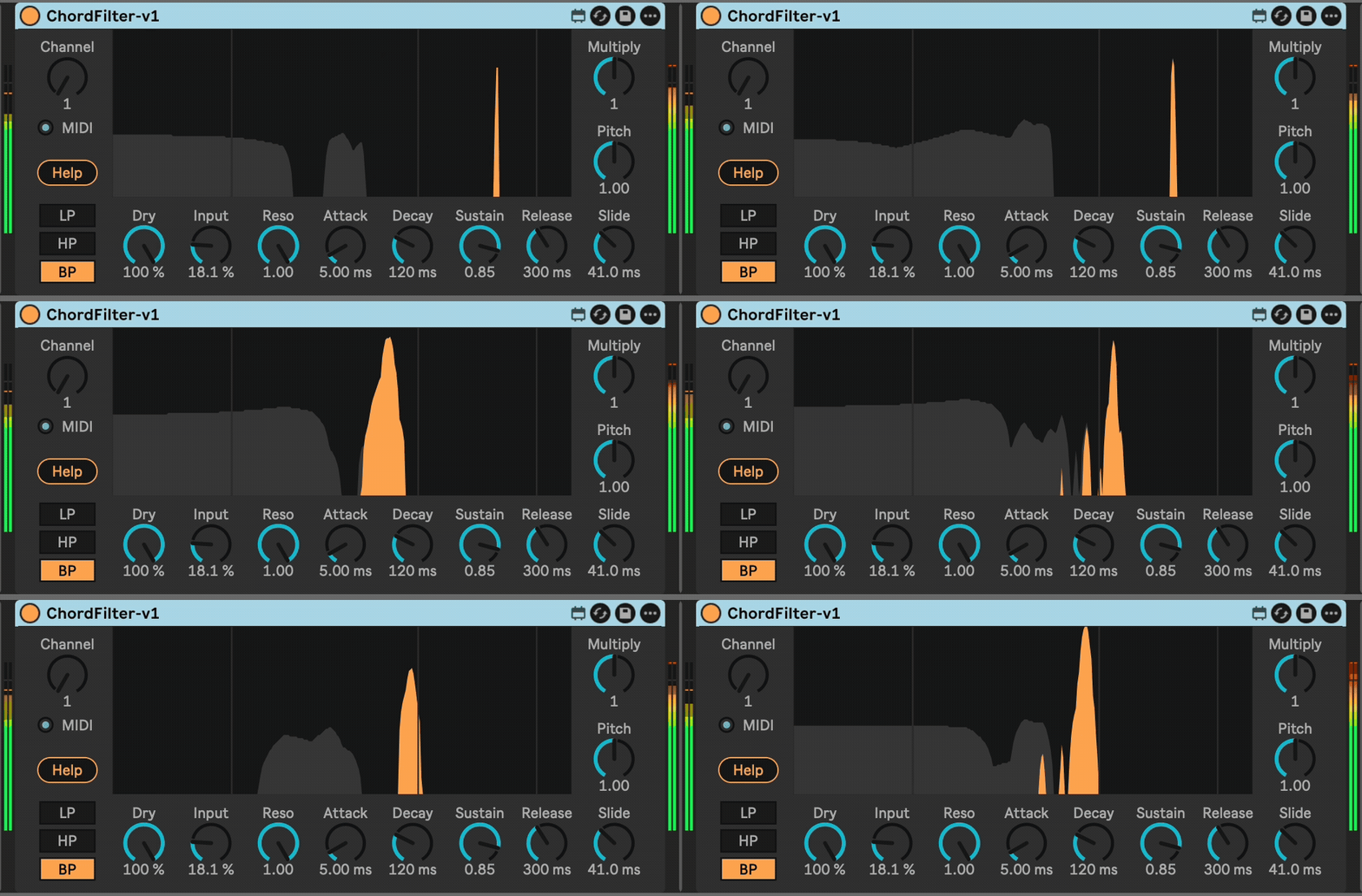
Channel- This sets the virtual MIDI channel used between the ChordFilter-MIDI-Sender and ChordFilter devices. This must be set to the same value for pairs that you want to communicate. There is a light that flashes under the Channel dial if the device is sending or receiving MIDI data.LP / HP / BP- Selects a Low Pass, High Pass, or Band Pass filter.Dry- The amount of the dry signal to let through.Input- Allows you to scale the input signal.Resonance- Controls the resonance of the filters.- Envelope Controls:
Attack,Decay,Sustain,Release- When a MIDI note is received, this envelope is applied to the filter handling the note. Multiplier- Applies a scaling factor to the frequencies of the filters.Pitch- Allows for fine and continuous control over pitch, e.g. modulate with an LFO for vibrato effects.Slide- Frequency changes to a filter happen over this duration.
Ideas
- Add after a white noise source to play the infinite melodies and harmonies contained in noise. You can use a single track for this. Add the
ChordFilter-MIDI-Senderbefore anAnalogsynth device. Disable the oscillators in the Analog, and enable Noise. Set the envelope release in Analog to the maximum. AddChordFilterafter the Analog. - Set the envelope controls to a plucky setting (1ms attack, 50ms decay, 0.0 sustain, 50ms release).
- Reharmonize an already harmonic part to hear just certain overtones.
Installation
Click the blue download button at the top or bottom of this page, or download the newest .zip file from the latest release. Unzip the file and drag the ChordFilter-MIDI-Sender-v1.amxd and ChordFilter-v1.amxd files to your User Library in Ableton Live.
Changelog
- 2026-01-21 v1 - Initial release.
Usage
TODO
- ...
Download Latestv1 - Initial Release
Published 8 months ago
All Releases →